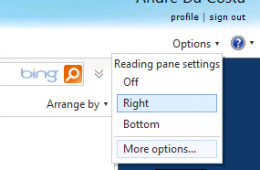
If you need to work in a different language in Windows Live Hotmail, you can change the default language used by the web mail service. Lets take a look at how t...
Ever send out an important email message and spent time after wondering if the recipient read it? Well you can confirm it from now on using Read Receipts. With ...
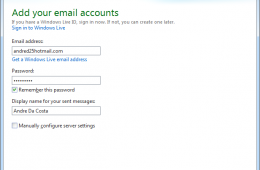
In this article we show you how to setup an email account in Windows Live Mail 2011 for the first time. We also show how to add an existing email account if you...
Microsoft announced an update to Skydrive, the company's cloud storage service that lets you store 25GB of documents, photos and even music for free. Although s...
One of the benefits of digital cameras is the ability to instantly see what you have captured, another key benefit is ease with which it makes sharing those mem...
We live in a connected world and we always want access to our most important information, anytime, anywhere. The buzz word lately is the cloud, which is a way o...
Have you ever taken a group picture and later found out one person wasn't looking? Don't you wish you could fix this on your computer without being an expert? W...
Do you ever wish you could send emails to a specific folder automatically so that you can choose when to deal with them? Well, you're in luck. You can use messa...
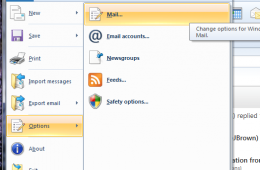
With release of Windows 7 Microsoft made some changes to the operating system. Programs that were once bundled such as Windows Movie Maker and Windows Mail are ...
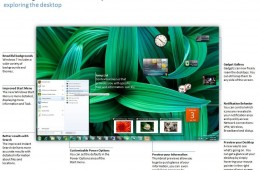
It seems like just yesterday Windows 7 was released to manufacturing. Time flies indeed! I remember my first experience with Windows 7 which was the developer p...
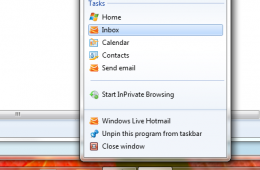
Last month Microsoft launched the innovative next generation version of its popular browser, Internet Explorer 9. One of the major highlights is the app centric...
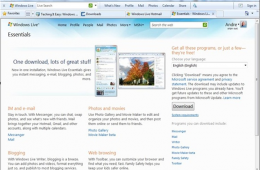
Over the weekend I got the chance to download and play with the new Windows Live Essentials wave 4, which is currently in beta. One of the most popular programs...
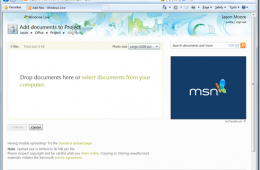
Microsoft announced that Office Web Apps are now live on SkyDrive. Yesterday on the Windows Live Blog, Jason Moore wrote that Office Web Apps are no longer in p...
Photography is one of the many fun activities we take part in every chance we get. Digital Cameras remain one of the hottest electronics that many of us own and...
I have written a number of articles so far discussing Windows 7's various features and improvements. One of the top questions I come across from persons who hav...
Back in the 90's, I could count on one hand how many people I knew had a computer, or just had access to one. With the fast pace of changes such as Moore's Law ...