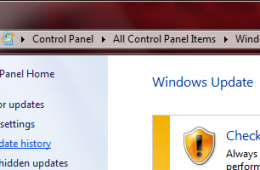
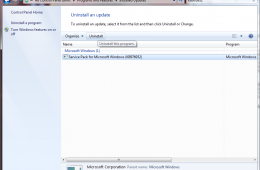
Just like downloading offline definitions for your Antivirus utility, you can do the same for Windows Updates. If you are on a slow connection, or lack the cons...
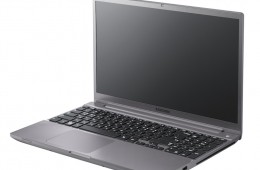
Samsung unveiled a new collection of notebooks today as part of the powerful Samsung Series 7 collection. These notebooks come in both 14" and 15.6" sizes, but ...
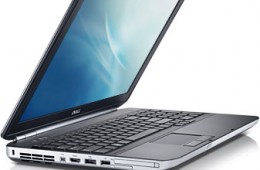
If you need a durable notebook to take back to school or to take to work, the Dell Latitude E5520 is a good choice, especially when you can save 42% off the lis...
When you get a new Mac home from the Apple Store, it can be tough to know what to do first. Thankfully the out of the box experience is much more optimized than...
Sometimes you have to reinstalling Windows. You might wonder if this means backing up files as well as reinstalling applications and drivers. You don't have to....
Razer makes some pretty awesome gaming accessories for computers including my favorite mouse and a pretty nice looking set of 7.1 surround sound headphones that...
If you are experiencing problems with your Microsoft Office applications, such as applications not opening, not responding or unexpected error messages, then a ...
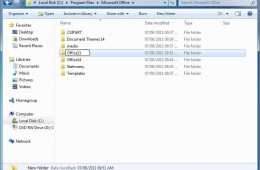
If you want to have more than one version of Microsoft Office installed on your computer you can do so by creating a side by side installation. This can be for ...
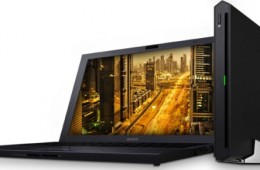
The Sony VAIO Z is thinner than a MacBook Air and uses an external Thunderbolt connection to link up to a much more powerful external GPU.
In order to make t...
Technology, of course, has to adapt to a varied environment. For the families, communities and businesses that use more than one language, Windows 7 makes worki...
When choosing an ultraportable consumers have to find a good balance between light weight, power, and display size. Usually a 13-inch notebook will win out over...
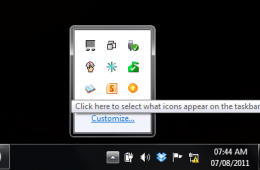
In Windows 7 the Taskbar Notification Area, or System Tray, displays a collection of items used for alerting and quickly adjusting basic system settings such as...
AMD has finally officially announced their new generation of E-Series and C-series chips. The previous generation E-series APUs, the E-240 and E-350, powered po...
Browser add-on’s can be very handy; extending the functionality of your favorite web browser. At the same time they can also affect its stability and performanc...
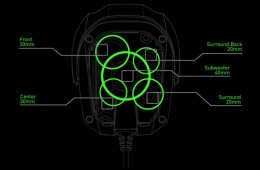
It doesn't sound like something possible, but Razer promises to deliver a set of 7.1 surround sound headphones in Q4 2011 called the Razer Tiamat. Each side of ...
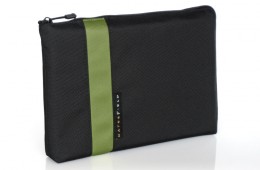
Maybe you just bought a new MacBook Air. Or maybe you still sport the 2010 model, like I do. Either way, you need a great case (or bag) to carry it around in, a...
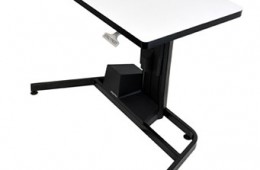
Ergotron makes some of my favorite sit stand desks. The company has been working on sit stand desks for the past few years, and is announcing a new Sit Stand De...
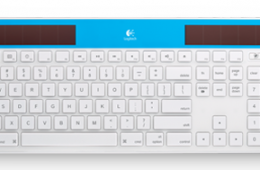
If you are as sick of replacing the batteries in your wireless keyboard as I am, you may want to pick up the new solar powered keyboard from Logitech, designed ...
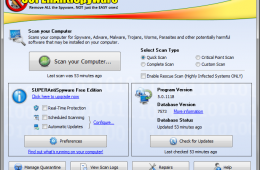
When it comes to protecting your computer there are multiple threats out there which aim to take control of your computer and use it for nefarious purposes. Mal...
With students getting ready for school in the next couple of weeks, here are some suggestions for five hot laptops. Included are a:
budget Windows Notebook,...