For people who love to listen to books, there is a pretty good deal available from Amazon and Audible. New customers who sign up for Audible and promise to rema...
People put a lot of thought into what their movies, video games and other digital content will look like when they're getting ready to buy a new HDTV. But most ...
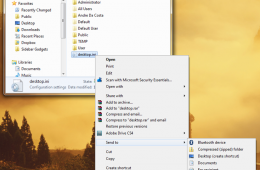
The Send To action in Windows is one of the fastest ways to take a file and and send it to a recipient or program. If you can't get by with the default Send To ...
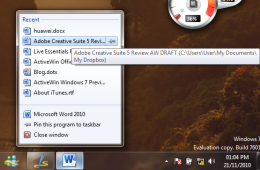
One of the major improvements in Windows 7 is the Taskbar. It introduces a new approach to using it with more flexibility and power built in while remaining fam...
One of the great things about using Windows Explorer in Windows 7 is how much easier it is to access areas of the system, whether its using Instant Search or B...
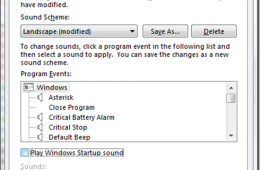
Personalization is a major focus of Windows 7, the aim is to make your Windows experience more unique, interesting and culturally aware through a variety of med...
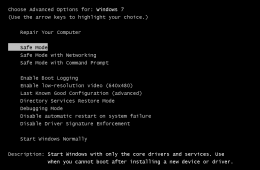
If you have been using Windows for a while, you have probably encountered Safe Mode more than a few times. Safe Mode is a diagnostics environment that you can u...
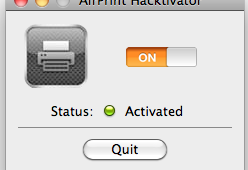
AirPrint was one of the things many users were waiting for in iOS 4.2 for the iPad and iPhone, but when it came out many printers weren't supportive of attempts...
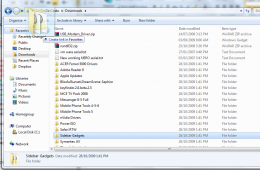
With the release of Windows Vista, Microsoft introduced Gadgets. Gadgets are small programs that provide small snippets of information you don’t need to have a ...
Sometimes you can be in a awkward situation and you need to use your computer. Whether it’s a meeting, conference or your bed room with your significant other. ...
Retailers will be pushing expensive accessories, services and extended warranties on Black Friday in an attempt to make a profit off of cut-rate electronics. Th...
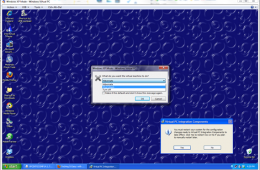
If you use Windows Virtual PC with Windows XP Mode on any of the supported editions of Windows 7 (Professional, Enterprise, or Ultimate) you might realize that ...
With the release of iOS 4.2 this week, users will be excited about getting all the new features. However, before you jump here are some tips to make sure you do...
Now that iOS 4.2 is finally being pushed out to users, there might be some questions about all the new features included. We've put together a series of posts a...
Google has a habit of quickly iterating on their web services. Sometimes Google rolls these changes out to all users, but other times they let users who wan...
With the release of iOS 4.2 on Monday there are dozens of new features and changes. Apple iPad users will notice the most changes since iPod Touch and iPhone 4 ...
Amazon’s Kindle and the companion apps that run on the Mac, PC, Android, Blackberry, and iOS has made buying books so much easier and now buying them for friend...
If you are new to Windows 7 or you are still discovering its wealth of new features HomeGroup is one you should check out. In a previous article we did an intro...
By default, the Windows 7 Taskbar is situated at the bottom of the screen, but if you would prefer to have it at the side or the top of the screen, you can do t...
While the majority of Americans know the basics of taking car of their cars such as changing the oil when the sticker says so, filling fluids and taking it in t...