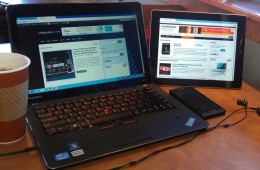
Working outside of your office or home can be a nice change if pace and can free you from distractions of your coworkers and home work. Unfortunately, if you do...
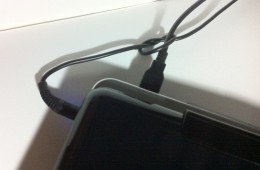
As a student, I take my laptop with me to class every day. That means unplugging the power cable and any USB devices that I have hooked up to it every day. When...
Google has a habit of quickly iterating on their web services. Sometimes Google rolls these changes out to all users, but other times they let users who wan...
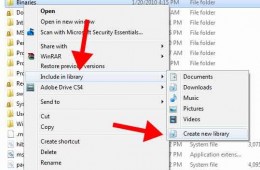
Windows 7 has a simple and useful file management feature called Libraries. With it a user can more easily find their files and manage them in the Windows Explo...
Last year's release of Windows 7 and this year's release of Office 2010 were nice upgrades. Windows 7 was a much better OS than its predecessors. And while ...
You can do a lot of nifty little things with Google these days, rather than just searching. Just today, my brother asked me what the score of the Phillies game ...
The iPhone may be known for its incredible stability, but even it occasionally suffers from a frozen or non-responsive app every once and a while. Luckily, ther...
Here is a quick tip that I discovered today while I was doing some iPhone camera testing. Email is one of the best methods for sending photos to friends or quic...
There are a lot of people who would like to give Mac a try, but for those that identify themselves as PC gamers†going to Mac really isn't an option because t...
One of my favorite things on the computer is finding incredibly simple but genius programs that save time or make my life easier in some way. Even better is whe...
If you use the web regularly, pay attention. Here is a list of keyboard shortcuts that will help you navigate with your browser and complete web based tasks mor...
The advent of mobile computers becoming commonplace in the classroom is one that has brought much increased productivity and many other great advantages. Howeve...
All too often I see a familiar scene. Someone pulls their nice laptop out of a carrying case, then they proceed to set the computer on top of the case from when...