Update and Rejoice! iPhone OS 3.0 is Available to Download Now

| June 17, 2009 | 18 Comments

Thats right… I am one of those goofballs that likes to update my iPhone firmware as soon as it comes out. How else would I be able to tell you that its safe to proceed? In any case, at about 10:20 am PST Apple released the much anticipated iPhone 3.0 OS update. Last year Apple primarily gave us the ability to download and use apps. This year we are seeing a ton of additional improvements including the belated “cut & paste” function which empowers you to do… you guessed it, cut and paste text and images across applications! The new features I am looking forward to test driving most are Spotlight search across all iPhone data, voice memos, and yes… the previously mentioned cut & paste.
picture-16

picture-17

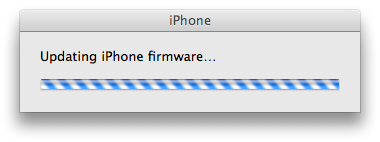
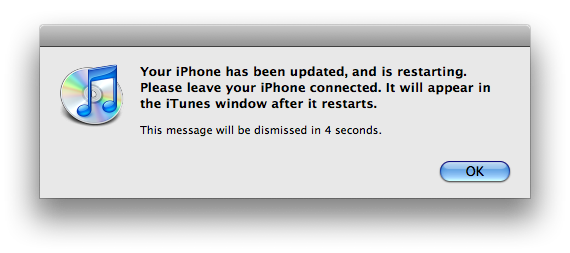
The new update came in at a fairly slim 230 MB and took me about 10-15 minutes to complete. To my knowledge, that was an extremely fast update compared to last year’s 2.0. For those of you who have not updated yet, here is a quick checklist for you before you get into all the 3.0 goodness.

  1. Update all of your apps on your device or via iTunes.

    Most of the app developers have provided OS 3.0 compatible updates to their software. There are sure to be stragglers, but update what you can now.

  2. Synch your iPhone to backup your data.

    Once in a while things don’t go according to plan. Before updating your iPhone I strongly suggest that you synch your device and wait patiently for it to backup all of your data. This is your rescue when things go wrong.

What do you think of the update?

Tags: , , ,

Category: News

Comments (18)

Trackback URL | Comments RSS Feed

  1. Mad M says:

    No Sim Card recognized, joy!

    • Brad says:

      I tried to update to 3.0 on my iPhone 3G and all seemed good until the final step where I get a message from iTunes:

      We could not complete your iTunes store request. The network connection timed out.

      Great now I have a bricked iPhone and all it’ll do is let me make an emergency call.

      • Link says:

        Keep trying to plug in your phone with itunes.. It took about 15 times before mine would get passed that step..

    • Adam Helweh says:

      It said that for me as well. I waited patiently as the white loading bar on the phone continued to move. All went well in the end.

  2. Mad M says:

    No Sim Card recognized, joy!

    • Brad says:

      I tried to update to 3.0 on my iPhone 3G and all seemed good until the final step where I get a message from iTunes:

      We could not complete your iTunes store request. The network connection timed out.

      Great now I have a bricked iPhone and all it’ll do is let me make an emergency call.

      • Link says:

        Keep trying to plug in your phone with itunes.. It took about 15 times before mine would get passed that step..

    • Adam Helweh says:

      It said that for me as well. I waited patiently as the white loading bar on the phone continued to move. All went well in the end.

  3. Jenna says:

    So my itunes is downloading the update as of right now…is it not turning out good for anyone?!

  4. Jenna says:

    So my itunes is downloading the update as of right now…is it not turning out good for anyone?!

    • Adam Helweh says:

      The update went perfectly fine for me minus the false alarm message of “No SIM card recognized”.

  5. Paul says:

    I have completed the full update and then rebooted the iphone after the iphone froze. Then all seemed okay and most apps work as before. the only problem I am currently having is the inability to send photo’s in text messages.

  6. Paul says:

    I have completed the full update and then rebooted the iphone after the iphone froze. Then all seemed okay and most apps work as before. the only problem I am currently having is the inability to send photo’s in text messages.

  7. Link says:

    Everything looks good.. But I don’t see the tethering settings? Anyone see how to send pictures?

  8. Link says:

    Everything looks good.. But I don’t see the tethering settings? Anyone see how to send pictures?

    • Adam Helweh says:

      Tethering and MMS is not supported yet by AT&T in the US. I haven’t looked for it in the settings.

Leave a Reply