Taking a cue from Bing, Google has just made what might seem like a minor change to their basic search page. When you think about it, the change is actually a significant difference. And I think it is a good one.
For as long as Google has been around, they have presented a simple mostly white search site. The philosophy seemed to be “less is more” with Google. But when Microsoft introduced Bing, they also had a very simple search page but presented some very beautiful images as backgrounds. Now Google is doing the same as you can see from the screen capture below.
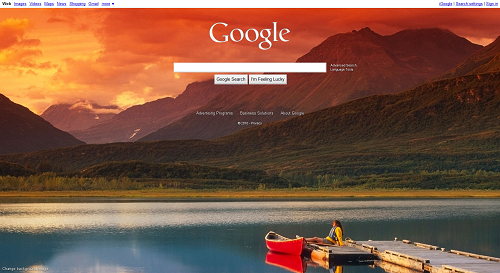
Is Bing having an effect on Google? Seems like it. Google doesn’t have the popup hotspots that give info about the image like Bing. If they add the feature then you will know for sure that Google is paying attention to the competition. Now that Bing has nearly 10 percent of the search market in the US, it seems like a good idea for Google to keep tabs on them.
Bing doesn’t have one thing Google’s search background does. With Google you can customize the background. In Bing you can just scroll through the most recent default images.
It is hard to see in the above image, but in the lower left corner is a link that says, “Change Background Image”. Click it and a box pops up with many more to choose from.
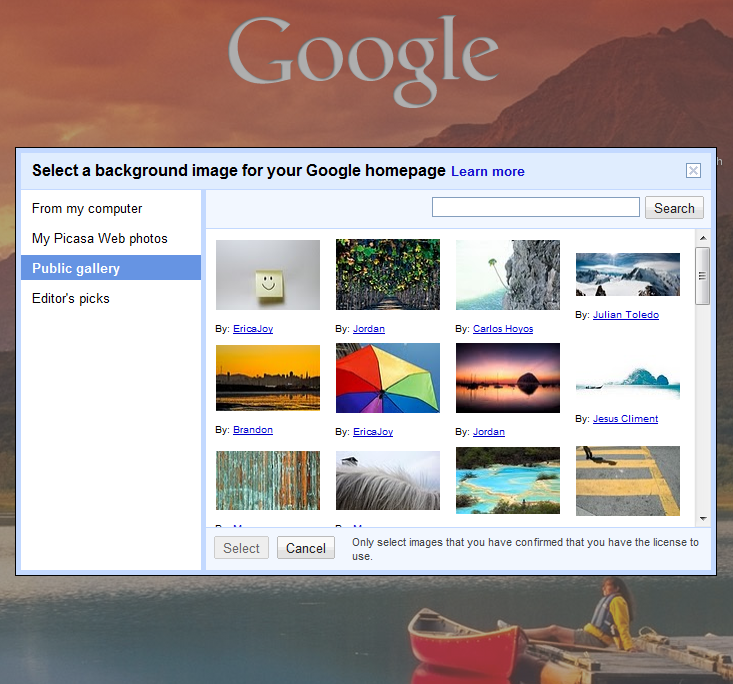 As you can see form the above screen shot you are not tied to just their chosen images. You can also pick from images on your computer, your Picasa Web Albums, if you have one, and the special Editor’s picks. After you select your new image, if you do not like it, just select “Remove Background Image” from the same area that the “Change Background Image” link was found.
Having a background image showing is apparently temporary. When I tried to find out how to totally remove it for this article I found a link that said the following:
… Google’s homepage has a series of photos on it to celebrate our new Change background image link. Please be assured these images will only be displayed today, and the homepage will return to its regular white background tomorrow.
So starting tomorrow, if you like the new background image feature, you can turn it on. But it seems that it will be off by default. If you can’t wait till tomorrow, and want to change to a single color which may be less distracting, follow these instructions:
1. Click the Add background image link in the Google homepage’s lower-left corner
2. Sign in to your Google Account (if you aren’t already signed in)
3. Select Editor’s picks
4. Scroll to the bottom of the list and choose your favorite color
5. Click Select
Doing this will change the print on the Google home page to white so that it shows up on the new background color. So pick a color that will display white text well.
I personally welcome the change. I really like the images offered and may upload one of my own. Until I do, here is the one I picked from the Editor’s Picks list.
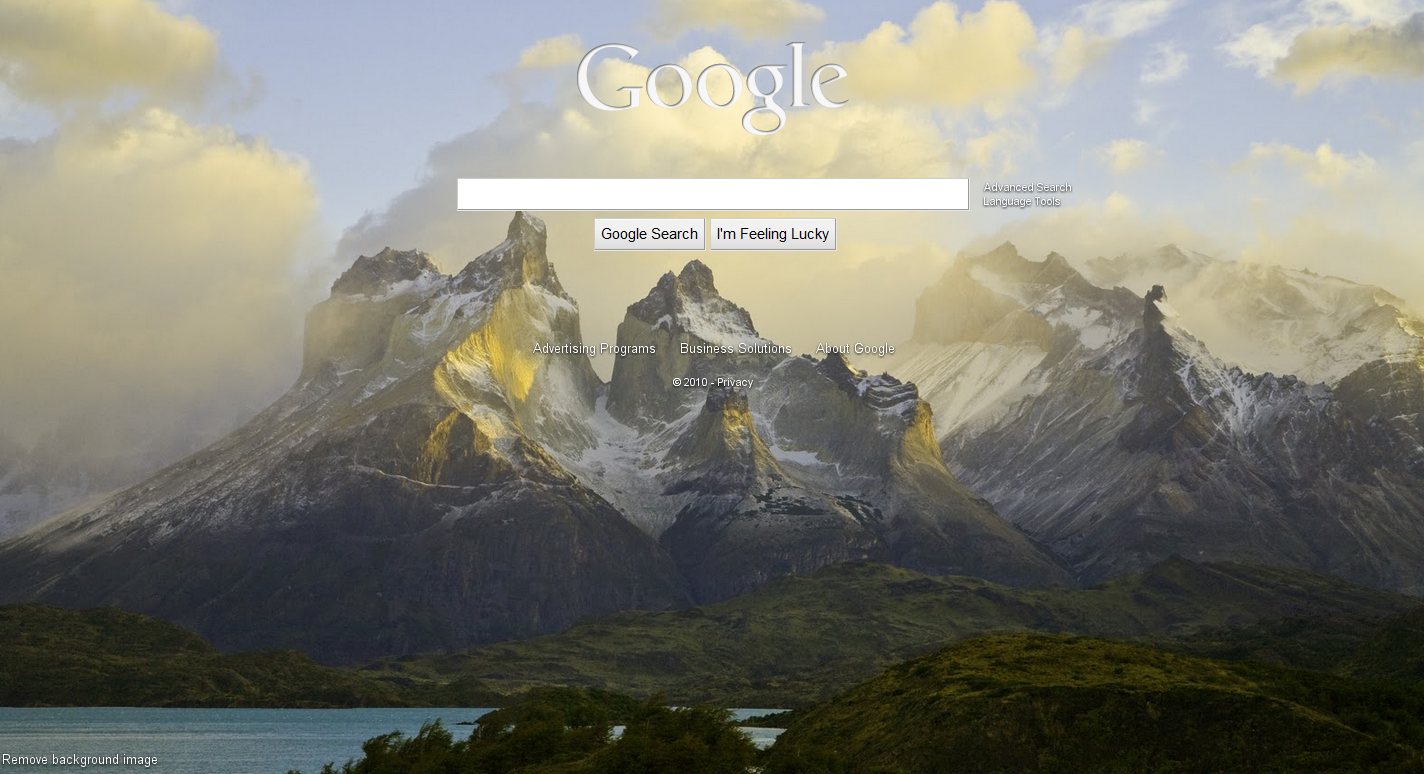
Which one do you like the best? Will you turn it on or stay with the default white background when it returns tomorrow?
Related Posts
-
Here is a guide on how to create encrypted disk images in MacOS to backup or…
-
If you're looking for a cheap laptop, it's hard to miss the wave of inexpensive Chromebooks. But…
-
Did you know that Chrome has its own task manager, entirely separate from the one…