Windows 7 is built on the reliability of the Windows NT code base, which has strong lineage dating back to the early 90’s. With recent releases of Windows such ...
Sometimes you have to reinstalling Windows. You might wonder if this means backing up files as well as reinstalling applications and drivers. You don't have to....
In Windows 7 the Taskbar Notification Area, or System Tray, displays a collection of items used for alerting and quickly adjusting basic system settings such as...
Owning a computer means you probably invested in commercial programs from major vendors. Just like backing up your computer and its operating system, it's also ...
If Windows Security is warning you that it is turned off, but you know it is on, you need to take action to fix this annoying error. We will show you how to fix...
Whenever you install programs they tend to add a program to your Startup folder, which allows the program to start immediately when Windows starts. This can gre...
In this article we take a look at how to remove programs that are difficult to remove. Because of the complexity and interaction between programs and Windows, t...
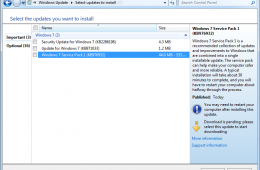
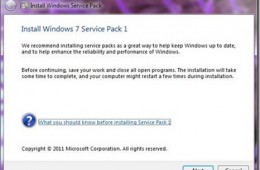
The first major maintenance update for Windows 7, Service Pack 1 is now ready for download. Microsoft released the first beta back in June 2010 followed by a Re...
Installing a Service Pack is nothing new, but there are some pre-requisites users should take into account to ensure a smooth installation. I installed Service ...
Even though we live in a modern world where most users have their own computer, there are still occasions where you might end up sharing or need to access a sha...
iTunes is the popular music management tool developed by Apple for listening, managing audio files and other types of media such as Apps, Videos, TV Shows, Movi...
While the majority of Americans know the basics of taking car of their cars such as changing the oil when the sticker says so, filling fluids and taking it in t...
A couple of weeks ago Microsoft released a healthy dose of updates for our Windows systems. Not everyone will welcome this with joy, since Windows Updates, alth...
Since the release of Windows 2000 and XP, Microsoft included the limited Recovery Console which was used to diagnose and recover from serious errors which may be preventing Windows from booting successfully. The problem with Recovery Console (although it was very handy), was its complexity and use of the Command Line. Using it required remembering obscure commands and knowing how to apply them properly. If you were not careful, you could seriously cause further problems. Today we take a look at the improved Recovery Options Windows 7 provides.