Tag: Customize

How to change languages in Windows Live Hotmail (Quick Tip)

How to change languages in Windows Live Hotmail (Quick Tip)

| September 4, 2011 | 0 Comments

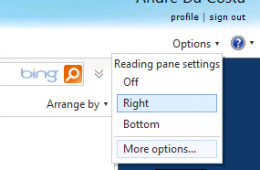
If you need to work in a different language in Windows Live Hotmail, you can change the default language used by the web mail service. Lets take a look at how to do that: Click Options, then click More options… Under Customizing Hotmail, click Language. Choose one of the available languages. Scroll down to the [...]

Continue Reading

How to See PowerPoint Slides and Notes at the Same Time For Easier Editing

How to See PowerPoint Slides and Notes at the Same Time For Easier Editing

| April 20, 2011 | 0 Comments

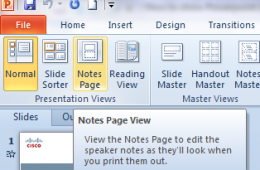
When constructing a PowerPoint presentation you might want to create notes to help you discuss in detail key points of the presentation. You can do this in the standard view of PowerPoint 2007 and 2010, but it’s not the optimal way to create and edit PowerPoint notes. We’ll show you how to see notes and [...]

Continue Reading

How to use Message Rules in Windows Live Hotmail For a Cleaner Inbox

How to use Message Rules in Windows Live Hotmail For a Cleaner Inbox

| February 2, 2011 | 3 Comments

Do you ever wish you could send emails to a specific folder automatically so that you can choose when to deal with them? Well, you’re in luck. You can use message rules in most email programs to send emails to specific folders or even to delete them. In this guide we will show you how [...]

Continue Reading

How to remove entries on the Windows Boot Manager (Quick Tip)

How to remove entries on the Windows Boot Manager (Quick Tip)

| January 20, 2011 | 0 Comments

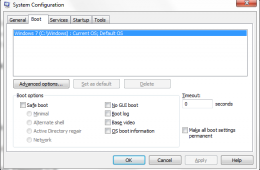
If you have recently installed Windows 7 and you are seeing multiple operating system entries on the Windows Boot Manager, here is a quick way to remove it. Please make sure you remove the one that is not needed or not working. Click Start, type: MSCONFIG.exe Hit Enter This will open the Microsoft System Configuration [...]

Continue Reading

Windows 7 Quick Tip: How to Show More Recent Documents on a Jump List

Windows 7 Quick Tip: How to Show More Recent Documents on a Jump List

| November 5, 2010 | 0 Comments

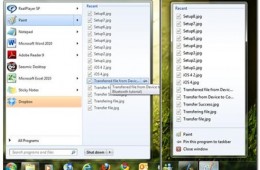
One of the things I love about Windows 7 is the ability to quickly access features and functionality. Particularly access to your information is one of the great benefits of the OS, Instant Search is one example, but there is another significant improvement, its called a Jump List. Jump Lists are contextual menus built into [...]

Continue Reading

Let Colorware Liven Up Your Mac Mini

Let Colorware Liven Up Your Mac Mini

| July 27, 2010 | 2 Comments

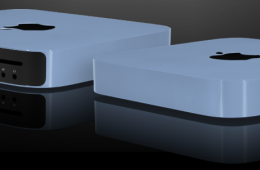
Colorware recently added the new Apple Mac Mini to their assortment of customizable electronics. Available in 46 different colors, or a unique color of your choice, a Colorware Apple Mac Mini will set you back $250 for the paint job, alone. Colorware has been adding custom paint jobs to the latest electronics for years now, [...]

Continue Reading

Using the Windows 7 Desktop – Fun Time Savers

Using the Windows 7 Desktop – Fun Time Savers

| October 17, 2009 | 0 Comments

Windows Vista provides some fun animation and effects to the Windows Desktop, (Flip 3D and Alt-Tab-2D). Windows 7 adds further pizzazz with a set of entertaining visual cues that makes working with Windows a great time on the PC. Let’s check some of them out!
Continue Reading