Tag: Windows 7 Starter

How to Encrypt your Hard Disk with TrueCrypt

How to Encrypt your Hard Disk with TrueCrypt

| December 30, 2010 | 2 Comments

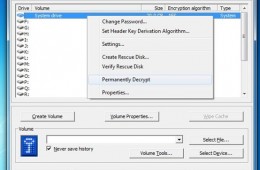
In our previous Notebooks.com article, we took a look at the encryption capabilities built into specific editions of Windows 7, Ultimate and Enterprise. For those not running these particular editions, the article might not have been as useful, but more of an incentive to upgrade to those editions if you need those capabilities. If you [...]

Continue Reading

How to Change the Wallpaper in Windows 7 Starter for Free

How to Change the Wallpaper in Windows 7 Starter for Free

| March 24, 2010 | 0 Comments

One of the biggest limitations of Windows 7 Starter is that users cannot, by default, change the wallpaper. Due to this restriction, most netbook owners are stuck with the standard Windows 7 logo background instead of a beautiful Windows 7 theme, family photo or awesome art. We’re going to show you how to change the [...]

Continue Reading

Top 5 Operating Systems for Netbooks

Top 5 Operating Systems for Netbooks

| February 14, 2010 | 7 Comments

In addition to upping the number of individuals who enjoy computing on the go netbooks have done one thing that notebooks have largely failed to do; bring attention to what operating system you are using. While the majority of netbook owners still want that familiar Windows experience, netbooks have shown many individuals alternative operating systems [...]

Continue Reading

Majority Of Users Would Be Dissatisfied With Windows 7 Starter

Majority Of Users Would Be Dissatisfied With Windows 7 Starter

| November 9, 2009 | 14 Comments

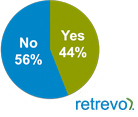
Even though Microsoft backed off of some of their early Windows 7 Starter edition limitations, such as the number of programs that can run at a certain time, the low cost version of Windows 7 shipping on most netbooks still has some drawbacks that consumers aren’t happy with.

Continue Reading

A Look at the Windows 7 Editions

A Look at the Windows 7 Editions

| October 13, 2009 | 4 Comments

If you have decided to upgrade to Windows 7, you have one other thing to to do, choose an edition. This will depend on a number of factors, whether you are doing a clean install, upgrading from a previous version of Windows, or you have multiple PC’s in your home. Microsoft has made choosing an edition of Windows 7 a little easier in comparison to Windows Vista. Instead of 6 editions, you will now see 3 editions in mainstream markets. Cost is also a factor and users need to evaluate their needs.
Continue Reading