Tag: New Computer

How to Transfer Apps from an iPad or iPhone to a New Computer

How to Transfer Apps from an iPad or iPhone to a New Computer

| March 8, 2011 | 4 Comments

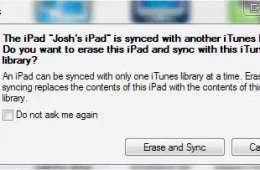
One of the remaining annoyances with the iPad and iPhone is the need to connect these devices to a computer to sync music and apps. Even more frustrating is that fact that you are limited to syncing your music to one computer. You may think this same limitation applies to app syncing, but thankfully it [...]

Continue Reading

Use DropBox and Chrome to Transfer Files and Bookmarks To a New PC in a Snap

Use DropBox and Chrome to Transfer Files and Bookmarks To a New PC in a Snap

| December 6, 2010 | 2 Comments

Switching to a new computer is a joyous event, but it can also be quite a pain to get everything up and running like it was on your old PC. During Black Friday my father picked up a Toshiba Satellite L460 laptop, his first mobile computer, and today I finally had time to help him [...]

Continue Reading

How To Move Your iTunes Library to a New PC

How To Move Your iTunes Library to a New PC

| June 17, 2010 | 5 Comments

This guide will show you how to get your iTunes library set up just right on your new computer without losing any of the important stuff. It’s very common for new computer owners to find their iTunes libraries in disarray after migrating to a new PC. If you don’t take the following steps, you’ll find that your [...]

Continue Reading

Using Windows Easy Transfer in Windows 7

Using Windows Easy Transfer in Windows 7

| October 7, 2009 | 9 Comments

So far we have looked at two ways of installing Windows 7 on your PC – Clean/Custom Install or In-Place Upgrading. Many persons will be buying Windows 7 on a new PC when its released and would like to get their personal data from an old PC to the new PC running Windows 7. Windows 7 offers an easy, convenient way to make the move with the built in Windows Easy Transfer utility. As you can see in the screenshot below, I have a lot of files on my old PC running Windows 7, and I would like to get those files over safely over to my new computer also running Windows 7.

Continue Reading