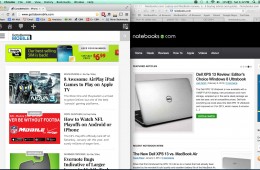
When using OS X Mavericks it is easier to manage windows and use full screen apps especially while using a second monitor, but when it comes to overall window m...
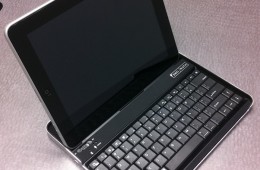
The iPad and iPad 2 have changed how many people perform their basic computer tasks like checking email and surfing the web. The transition has led to a decline...
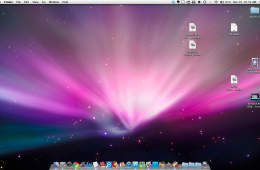
Apple claims that half of those who purchase a new Mac at their brick-and-mortar Apple Stores are first time Mac users. That means the buyers either did not hav...
Google has a habit of quickly iterating on their web services. Sometimes Google rolls these changes out to all users, but other times they let users who wan...
Building off of our Google Voice 101 series that shows you how to sign up for Google Voice and how to get started with Google Voice we are graduating on to the ...
Now that you have signed up for a Google Voice account and have it connected to one phone, you're probably wondering what to do next. This guide to getting star...
When most consumers ask me for help finding a new laptop or notebook the first thing I ask is, "What do you want?", to which they almost always reply, "A laptop...
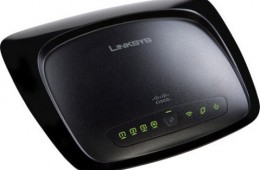
Whether you're a student heading to an off campus apartment or a homeowner looking for an easier way to get connected a wireless router is an easy and cheap way...
If you commonly leave work open on your computer overnight, you've no doubt had your computer automatically reboot while you are sleeping and in some cases take...
I recently wrote a guide detailing how to get full quality video from your iPhone to your PC because Apple doesn't yet have any official way to export HD or ful...
Does your computer take a long time to fully load Windows when your turn it on? Does it run more sluggishly than when you first purchased it? One of the things ...
There are plenty of reasons that you might want to share a video on the web. Perhaps you'd like distant relatives to be able to see video of a child's graduati...
This guide will show you how to get your iTunes library set up just right on your new computer without losing any of the important stuff. It's very commo...
Drivers are little pieces of software that tell your computer's operating system (ie: Windows) how to interact with your computer's hardware (ie: a wireless net...
The iPhone may be known for its incredible stability, but even it occasionally suffers from a frozen or non-responsive app every once and a while. Luckily, ther...
Microsoft has built a very useful interactive laptop guide for those who aren't tech experts and want to learn the basics before shopping for a notebook. The fl...
For the past month Andre, one of our knowledgeable bloggers, has been working to introduce readers to Windows y. His very detailed and easy to follow guides cover everything from choosing what version of Windows 7 fits your needs to a Guided tour of the new operating system. This post brings all of his guides to one central location so that you can learn how to do practically anything in Windows 7.
Gmail is wildly popular and for good reason. It is one of the most advanced email tools out there: it offers a huge amount of storage, has tons of time saving f...