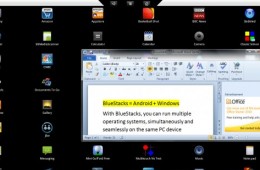
Can't decide if you want to get a Windows tablet or even a Tablet PC versus one of those sleek new Android tablets that are on or about to hit the market? Well,...
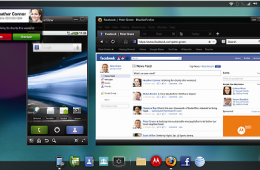
The Motorola Atrix 4G Android smart phone caught our attention at CES 2011 thanks to the ability to connect it to a dock, like the Motorola Webtop laptop access...
Given HP's recent announcement that webOS would soon be coming to the company's laptops and desktops, there were speculations that HP may be eyeing Microsoft as...
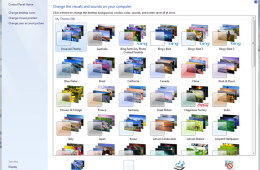
One of the great things about using Windows 7 is how easy it is to customize it to your liking. Microsoft has made making Windows your own a fun activity, wheth...
One of the major improvements in Windows 7 is the Taskbar. It introduces a new approach to using it with more flexibility and power built in while remaining fam...
By default, the Windows 7 Taskbar is situated at the bottom of the screen, but if you would prefer to have it at the side or the top of the screen, you can do t...
Where is the best place to buy a notebook? In short, someplace with a well trained and specialized sales staff. For most consumers buying a new computer is a...
Until the new iPhone OS comes to the iPad this fall, we will have to wait for the limited version of multitasking Apple is still adding to their new OS. Until t...
The Apple MacBook Pro just upgraded their line of notebooks to the new Intel Core i5 and i7 processors. Apple users their own A4 processor for the iPad. It d...
If you use the internet much you likely have a folder full of files that you've downloaded. Sound clips, images, a few PDFs, installation files for the last 3 v...
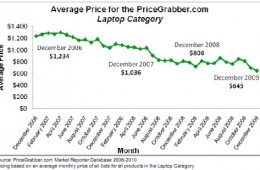
According to a new study from PriceGrabber the net effect of netbooks on the market hasn't been a reduction in the number of notebooks sold; but rather a decrea...
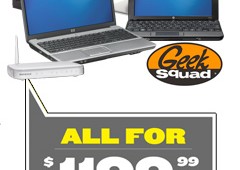
In celebration of Windows 7 launching Best Buy is offering a sweet deal to get your entire household upgraded to Windows 7. The new promotion which will run through January includes an HP desktop, 18.5" monitor, laptop, netbook, wireless router and Geek Squad setup for just $1,200! If you've been looking for a great deal on Windows 7 computers for your home, small business or even to split with a friend Best Buy's PC Home Makeover Package is it
The Windows 7 Desktop puts a lot of power in your view, for Windows XP users in particular, I would like to get you up to speed on some of the improvements. I hope to make this a series of post touring the changes that have been introduced in this release. Lets see what's new.
Windows Vista provides some fun animation and effects to the Windows Desktop, (Flip 3D and Alt-Tab-2D). Windows 7 adds further pizzazz with a set of entertaining visual cues that makes working with Windows a great time on the PC. Let’s check some of them out!
So you have finally made the move from Windows XP to Windows 7, everything is working great, but a few things have changed. Yes indeed, there is a new look, but a familiar experience along with numerous changes and improvements since the release of Windows XP back in October 2001. For some persons, it might be a bit overwhelming, to help make the transition a smooth one, here is a quick guide to help familiarize yourself with some of the changes and benefits.
One downside to using web apps like Gmail is that they reside online and usually don't have any way of giving you notifications short of you actually going to t...