Tag: BIOS

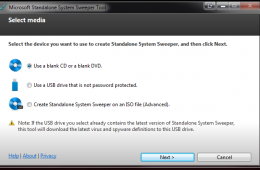
Microsoft Standalone System Sweeper Cleans Viruses and Malware

Microsoft Standalone System Sweeper Cleans Viruses and Malware

| June 1, 2011 | 3 Comments

Microsoft has released the Microsoft Standalone System Sweeper, a new tool that works alongside Microsoft Security Essentials, as an advanced system cleaner. If you have a difficult to remove malware or virus problem, this new tool from Microsoft may be able to detect and remove the problem. Unlike the Security Essentials, this new tool creates [...]

Continue Reading

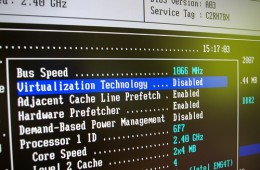
How To Load BIOS and Change Boot Configuration

How To Load BIOS and Change Boot Configuration

| May 5, 2011 | 0 Comments

When you start your computer it does a lot of things before you start seeing Windows 7, or whatever your primary operating system is. The first program it starts is the BIOS (Basic Input/Output System), it is located inside your computers system unit on coin shaped chip attached to the motherboard. It is responsible for [...]

Continue Reading

Faster Boot Times on the Way for Notebooks — Bye Bye BIOS

Faster Boot Times on the Way for Notebooks — Bye Bye BIOS

| October 8, 2010 | 0 Comments

If you’re disgusted with the length of time it takes your notebook to boot up in the morning you’ll be relieved to know that you’re not alone and people are working on a faster startup. Those people are part of the UEFI Forum which is working on a replacement for BIOS, that screen you see when you [...]

Continue Reading

Bios and Firmware Updates Address Battery Life on 2010 ThinkPads

Bios and Firmware Updates Address Battery Life on 2010 ThinkPads

| August 17, 2010 | 0 Comments

If you have a new 2010 ThinkPad you need to stop what you’re doing and update your BIOS and your battery’s firmware to fix an incorrect battery charge. The new BIOS and firmware will ensure that your ThinkPad lasts as long as it can on battery power. According to the Lenovo Connections blog, This battery [...]

Continue Reading

Sony Vaio Recall: How to Stop Overheating and Find Out if Your Notebook is Recalled

Sony Vaio Recall: How to Stop Overheating and Find Out if Your Notebook is Recalled

| June 30, 2010 | 4 Comments

If you own a Sony VAIO F or VAIO C series notebook purchased since January 2010 it may be a part of the 500,000 Sony notebook recall that, due to overheating, could cause your VAIO to overheat so bad that the heat could, “resulting in deformation of the product’s keyboard or external casing, and a [...]

Continue Reading

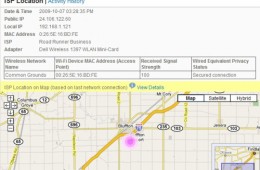
Review of Phoenix FailSafe: Track Down Lost Laptops and Data

Review of Phoenix FailSafe: Track Down Lost Laptops and Data

| October 12, 2009 | 8 Comments

Losing your laptop can be a huge pain. Not only are you out the cost of your laptop but you may have lost confidential documents or a term paper that hasn’t yet been backed up. There are several programs and services that let you track down your laptop and even work with law enforcement to help recover a stolen laptop.

Phoenix Technologies, notably known for making Bios software, has a new service call FailSafe that helps you track the last place your laptop connected to the internet, retrieve or delete files and even disable the computer completely.

Continue Reading

Introducing The One Second Boot Screen! (video)

Introducing The One Second Boot Screen! (video)

| September 24, 2009 | 5 Comments

When Xavier was at the Intel Developer Forum yesterday he had a chance to see a cool new bit of tech from Phoenix Technologies that makes booting your computer faster. How fast is it? Well in case you miss it in the video below the bios boot screen is visible for about a second and Windows 7 is running within 13 seconds…from a cold boot.

Continue Reading