Those who have followed my reviews of Apple’s iWork suite of productivity apps for the iPad, know I really dislike Apple’s official method of getting documents from a PC to iPad apps for editing and consumption. Thanks to DropBox there is a much better way.

Before getting my iPad, I used Windows Live Mesh to sync my documents between all my PCs. It is an effective program, but the fact that it hasn’t updated in what feels like years and the fact that they are not even updating their information to users, I started thinking that I needed to find another solution. Sure there is talk of Mesh and Live Sync, a similar piece of software, being integrated with Skydrive, Microsoft’s online storage service, to form one service. That would be great, but MS has tightlipped up to this point and I am impatient. With the purchase of the iPad this need accelerated since the Mesh client and web site do not work with the iPad. I tried several apps and services before landing with DropBox.
DropBox is a simple service and application. You install it on your computer and it syncs all files in a special folder it places on the computer. They are synced to the online storage and with other computers that are also running the application.
I installed DropBox on my computers and chose to move all my documents and files that I sync to the new My DropBox folder. Then I installed the DropBox app on my iPhone and iPad. At first there was not an iPad specific version. But a recent update adds iPad specific functionality.
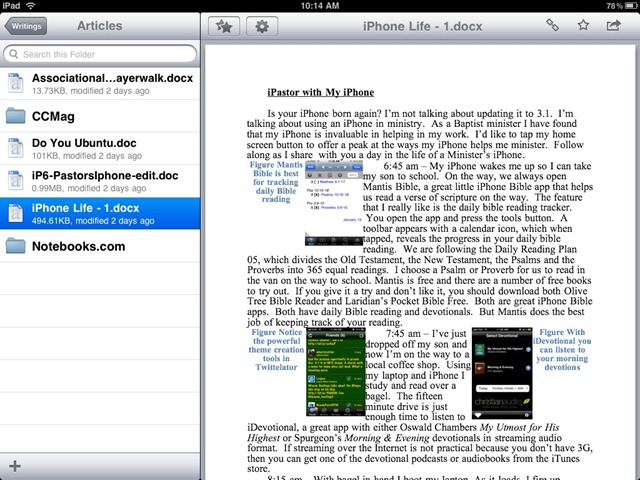
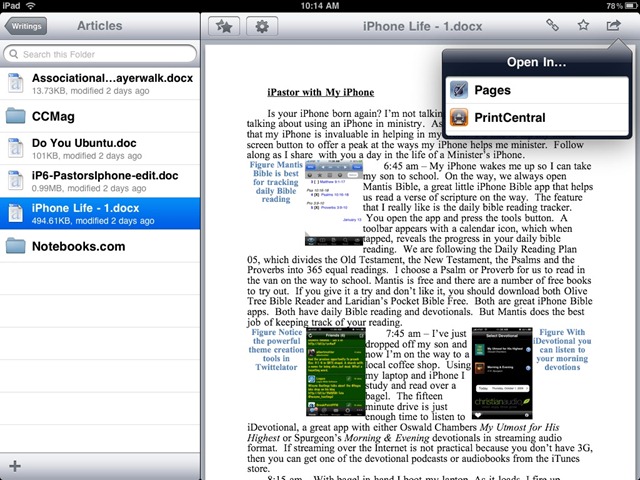
You sign in and it shows you all the files in your special folder. I prefer landscape mode which has the files and folders on the left like Windows Explorer. You can email the document or copy it to the clipboard for pasting in whatever app you wish to use to edit it or view it. Set favorite docs for quick access via the favorites menu. But the feature that I am most excited about is the Open In… feature. By tapping the button in the upper right you can open your document in any app that uses that new feature and is compatible with your document. For example, when I open a Word document from my computer it will allow me to Open it in Pages or PrintCentral, which is an app that enables printing from the iPad. Spreadsheets can be sent to Numbers and of course PowerPoint files can be sent to KeyNote.
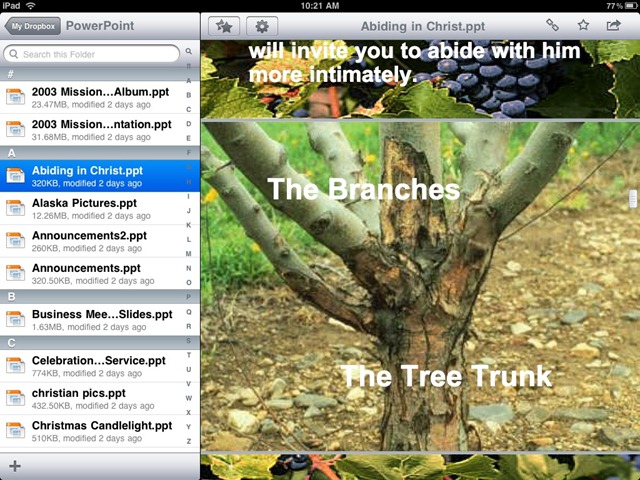
You may lose some formatting and functionality of the original when importing. Fonts are often substituted and some transitions in PowerPoint files will be lost. Although the first document I tried in KeyNote had some very basic transitions and they worked great.
With DropBox you can also add pictures from your iPad and they will be uploaded to your computer or online storage space. That is how I got the screenshots into this post. You add them via the plus sign in the lower left corner of the folder/file pane on the left.
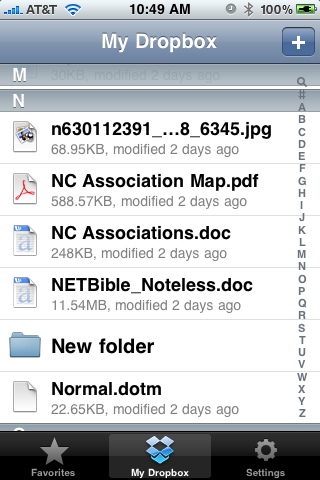
DropBox is free for customers using only 2 GB of online storage. If you wish, you can pay for more storage. The Pro 50 account offers 50 GB of storage for $9.99 a month or $99.00 a year. Pro 100 is $19.99 per month or $199.00 per year for 100 GB of online storage. DropBox is also compatible with Mac and Linux. And of course the iPhone app works great with much of the same functionality except for the Windows Explorer style pane on the left.
Related Posts
-
Today, Apple updated its most portable MacBook ever with a spec bump and a press…
-

Apple is issuing a recall for its wall plug adapters, after a limited number of…
-
Apple released macOS Sierra 10.12 in September 2016 with a lot of interesting new features.…