Review: Logitech QuickCam for Notebooks

| April 12, 2007 | 12 Comments

[brightcove 756022283 nolink]

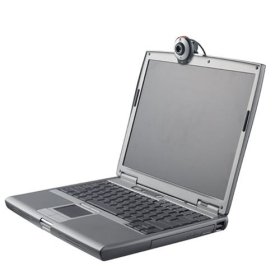
We took a look at the Logitech’s redesigned QuickCam for Notebooks and were impressed with its simplicity and low price point. This is a very basic webcam that clips onto the top of a notebook’s screen and just works.

The QuickCam for Notebooks can record video at up to (640×480 pixels at 30 fames per second), with a quality that’s just fine for home users. If you need higher quality or are a power user, you should take a look at a more expensive model.

This webcam and its software are easy to use and is cheap enough to ship off to friends and relatives that you want to chat with by video, but who aren’t tech savvy. The list price is $39.99, but some retailers are already selling it for less.

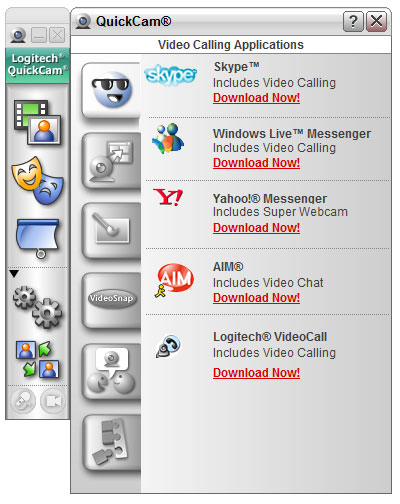
Designed to work with Microsoft Vista, the QuickCam is compatible with popular instant messaging apps like Skype, AIM and Yahoo! There are several filters built-in if you want to have fun and change how you look. You can fine-tune video and audio performance. The built in software is intuitive and allows users to adjust microphone and camera settings to get the best picture and to decrease echo and background noise.
QuickCam for Notebooks


We tested out the QuickCam for Notebooks (see video above) and the results were reasonable, but not stellar. There’s a manual focusing ring that you’ll need to twist to fine-tune your image. When twisting it, or using the snapshot button it’s easy to dislodge the QuckCam for the top the notebook’s screen, especially if you have an ultra-thin screen

The QuickCam for Notebooks will be available online and at retail this month.
QuickCam for Notebooks


  • VGA (640×480, 30fps), 1.3 megapixel still photos (w/software interpolation)
  • Requires Windows 2000, XP or Vista
  • Requires USB 2.0
  • Activity Light
  • Snapshot Button
  • Built-in Microphone

Pros: Easy to use, Affordable, Fun Filters, 2-year warrantyCons: Plastic Lens, Clip can come loose on thin notebook screens.

Logitech QuickCam for Notebooks-$33.99 at Amazon.com

Logitech QuickCam for Notebooks Product Page

Tags: ,

Category: Reviews, videos

Comments (12)

Trackback URL | Comments RSS Feed

  1. lizzy says:

    i think anyone with any kind of webcam should be able to get those settings that you showed in the video above.

  2. lizzy says:

    i think anyone with any kind of webcam should be able to get those settings that you showed in the video above.

  3. pete oh says:

    really liked your review of the Logitech Qucik Cam for Notes. But the webcam you showed looked different than the one I own and the one in the excerpt pics. Maybe newer version??

  4. pete oh says:

    really liked your review of the Logitech Qucik Cam for Notes. But the webcam you showed looked different than the one I own and the one in the excerpt pics. Maybe newer version??

  5. pete oh says:

    really liked your review of the Logitech Qucik Cam for Notes. But the webcam you showed looked different than the one I own and the one in the excerpt pics. Maybe newer version??

  6. Xavier says:

    Yeah, there are several version of the QuickCam.
    You might be thinking of the Logitech QuickCam Pro for Notebooks, which is rectangular.

  7. Xavier says:

    Yeah, there are several version of the QuickCam.
    You might be thinking of the Logitech QuickCam Pro for Notebooks, which is rectangular.

  8. Xavier says:

    Yeah, there are several version of the QuickCam.
    You might be thinking of the Logitech QuickCam Pro for Notebooks, which is rectangular.

  9. Xavier says:

    Yeah, there are several version of the QuickCam.
    You might be thinking of the Logitech QuickCam Pro for Notebooks, which is rectangular.

  10. Spoooky says:

    Hello Everybody,

    I have this cam since couple of weeks and in general it delivers good quality over reasonable price and it’s much better then Creative Live Ultra for notebooks I used previously.

    There’s only one annoying thing about this cam: the lower part of the device, with online indicator light, covers a little the top of the laptop screen. This is an obvious design error which could be easy fixed by mounting the handle on the back a couple of millimeters lower.

    Greets!

  11. Spoooky says:

    Hello Everybody,

    I have this cam since couple of weeks and in general it delivers good quality over reasonable price and it’s much better then Creative Live Ultra for notebooks I used previously.

    There’s only one annoying thing about this cam: the lower part of the device, with online indicator light, covers a little the top of the laptop screen. This is an obvious design error which could be easy fixed by mounting the handle on the back a couple of millimeters lower.

    Greets!

  12. Spoooky says:

    Hello Everybody,

    I have this cam since couple of weeks and in general it delivers good quality over reasonable price and it’s much better then Creative Live Ultra for notebooks I used previously.

    There’s only one annoying thing about this cam: the lower part of the device, with online indicator light, covers a little the top of the laptop screen. This is an obvious design error which could be easy fixed by mounting the handle on the back a couple of millimeters lower.

    Greets!

Leave a Reply